


Meet the Numberblocks
3.7486.00 Reviews
App Specs
- Version
- 01.07.00
- Updated On
- License
- Free
- Downloads
- 5,000,000+
- Developer
- Blue Zoo
- Categories
- Educational
- Platform
- Android, iOS
Screenshots


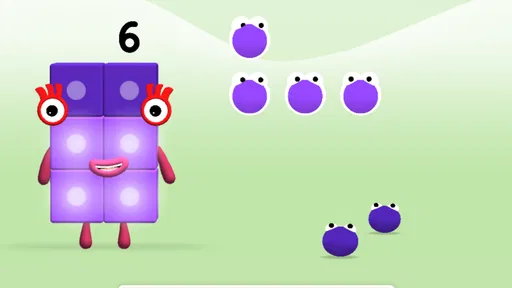
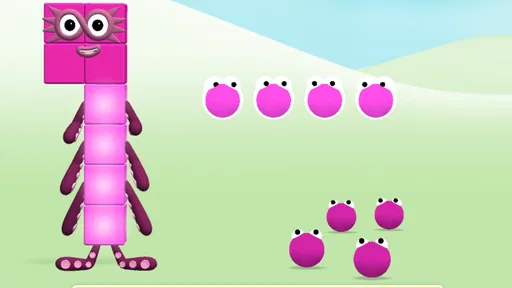
 Analysis by AppCompare
Learning to count can be much easier when numbers are attached to characters, movement, and a little play. That is the appeal I found in Meet the Numberblocks, an educational game from Blue Zoo built around the Numberblocks and Numberblobs. It is free, rated for Everyone, and aimed at children who are beginning to recognize numbers and connect them with quantities.
I approached it less like a game I would play for a long session and more like a short activity a child could return to regularly. That distinction matters. This is not designed to replace a complete early-maths program, and it does not try to offer the depth of a workbook or a teacher-led lesson. Its strength is making a small amount of practice feel approachable. In my experience, that makes it useful for a child who needs repeated exposure without feeling as if every interaction is a test.
The game has been available since May 23, 2019, and its current version is 01.07.00. It requires Android 8.0 or later. Its audience is clearly broad: the listing shows more than five million installs, a 3.8 average from roughly ten thousand ratings, and hundreds of written reviews. Those figures suggest a familiar children’s title rather than a niche experiment, although the rating also encourages realistic expectations. It is popular, but it will not suit every learning style.
How the basic play routine works
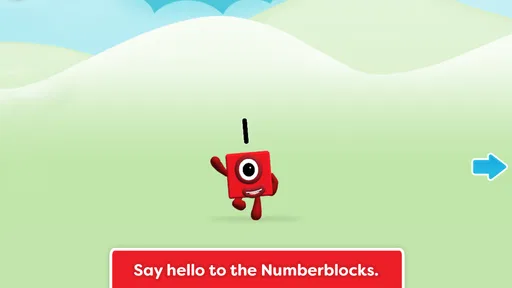
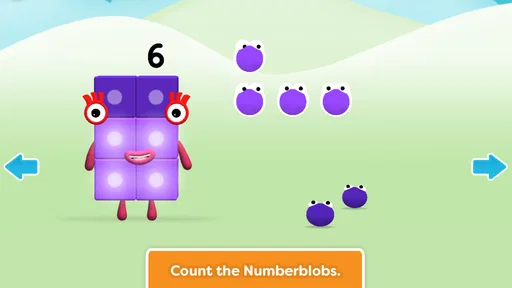
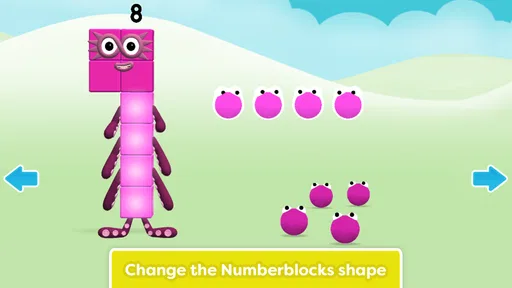
The central routine is simple: children meet the Numberblocks and count the Numberblobs. That simplicity is one of the best things about the experience. A young player does not need to understand a complicated menu system before getting started. The characters provide a friendly visual anchor, while the counting task gives the interaction a clear purpose.
When I think about the best way to use it, I picture a short session after breakfast, during a quiet moment before dinner, or while an adult is nearby and able to talk about what is happening. The child can interact with the game, then the adult can ask a quick question such as “How many did you see?” or “What changed when you counted again?” That small conversation turns screen time into a more active learning moment.
The most useful habit is to treat each session as practice, not passive viewing. If a child simply taps through everything, the colorful characters may hold attention without building much understanding. I would pause occasionally, let the child answer before helping, and encourage counting aloud. The game can provide the visual prompt, but the spoken counting and explanation are where much of the learning value becomes visible.
This also makes the game suitable for different levels of confidence. A beginner may need to point at each Numberblob while counting. A child who is already comfortable with small quantities can be asked to predict the total before interacting. The same basic activity therefore works as recognition practice for one child and as a quick accuracy challenge for another, without requiring a separate mode.
Worth Reading Before You Choose

EA SPORTS FC Mobile 26 Is a Bigger Football Game, but It Takes Time

Flipboard Shows What News Apps Must Do Beyond the Feed

Switching to Android Auto Means Rethinking Your Driving Routine

Google Calendar Makes a Crowded Week Easier to Manage

Ludo King Makes the Most of the Minutes Between Plans

Baby Panda World Brings Quick Play to Modern Phones, but Its Game Library Feels Busy
Making the first sessions comfortable
I would begin with a child who is rested and curious rather than introducing the game when they are already frustrated. Early success matters in educational play. If the child is still learning one-to-one counting, I would keep the pace slow and avoid correcting every mistake immediately. Letting the child try again often reveals whether the problem is number knowledge, attention, or simply rushing.
An adult does not need to sit over the entire session, but the first few uses are worth supervising. This helps reveal whether the child understands the task or is only following the most obvious visual movement. It also lets you notice which numbers cause hesitation. Those observations are more valuable than assuming that a child who can tap correctly has fully understood the quantity.
For a preschooler who enjoys the characters but loses focus quickly, I would use the game as a brief transition activity rather than promising a long play period. A few focused minutes can be more productive than leaving it open until the child becomes bored. Because the core idea is easy to revisit, there is little benefit in forcing completion when attention has already disappeared.
What to check before handing over the device
The first practical check is compatibility. The game needs Android 8.0 or later, so an older phone or tablet may not be suitable. I would also open it once before giving it to a child, confirm that the presentation is comfortable on the intended screen, and make sure the device itself is ready for child use. Those are ordinary preparations, but they prevent a learning activity from turning into a troubleshooting session.
The age label is Everyone, which fits the gentle educational purpose, but an age rating should not be treated as a substitute for parental judgement. Children differ widely in reading ability, patience, and sensitivity to stimulation. A younger child may need more guidance, while an older child may find the activities too basic. The right question is not simply whether the game is suitable for the listed age range, but whether its level matches the child in front of you.
I would also decide in advance how the device will be used. If the tablet is shared with siblings, a repeatable routine helps: open the game, complete a short activity, talk about the numbers, and then close it. If the child uses a personal device, keeping the game in an obvious place reduces the temptation to wander through unrelated apps. These are not special functions inside the game, but they make its educational purpose clearer.
Settings and habits that matter most
There is no reason to search for elaborate configuration before playing. The important “settings” are really the surrounding choices: volume, screen brightness, notifications from the device, and whether an adult is available to explain the task. I prefer a comfortable volume that allows the child to hear any feedback without making the game dominate the room. Lower brightness can also make a longer shared session easier on the eyes.
Checking the device’s general child-use settings is worthwhile, especially if the tablet contains other games or purchasing tools. I would use the operating system’s parental controls where appropriate, keep notifications from interrupting the activity, and avoid handing over a device that can easily jump from counting into unrelated content. These steps are particularly important because a young child may understand the game perfectly but still struggle with the wider device.
The store presentation identifies it as a free game, which removes a common barrier to trying it. Even so, I would still review the device’s normal download and account arrangements before a child uses it independently. The point is not to make the experience complicated; it is to establish a predictable boundary around the app. A child should know when the counting activity begins and ends.
One useful setup is to place a few physical objects nearby: blocks, buttons, or pieces of fruit. After a digital counting activity, ask the child to make the same quantity with real objects. This creates a bridge between the Numberblobs on screen and quantities in everyday life. It also exposes a limitation of the game: no screen activity alone can guarantee that a child will transfer a visual pattern into real-world counting.
Faster patterns for regular practice
Experienced use is less about tapping quickly and more about creating a repeatable rhythm. I would use the same sequence each time: ask the child to estimate, let them count, ask them to explain the result, and then connect it to something outside the game. That pattern prevents the session from becoming random tapping and gives the adult a simple way to notice progress.
A second useful pattern is to alternate independent play with guided play. On one visit, allow the child to explore without interruption. On the next, sit with them and ask questions before each answer. This reveals whether the child is learning the numbers or merely remembering the order of actions. It also keeps the game from feeling like a constant lesson, which can reduce enthusiasm.
For a child who counts too quickly, I would deliberately slow down the interaction by asking them to touch or point to each Numberblob once. For a child who counts accurately but cannot identify the final total, I would repeat the last number and explain that it tells us how many there are altogether. These are small adjustments, but they target different misunderstandings instead of treating every error as the same problem.
Another effective habit is to stop before the child is tired. Ending after a successful attempt gives the next session a positive starting point. It also avoids the common mistake of measuring value by screen duration. The game is better suited to frequent, focused visits than to an extended play marathon, particularly for children who are still developing concentration.
I would not use it as a reward for every unrelated task, either. If the game becomes a bargaining tool, the child may focus more on earning access than on the numbers. A predictable place in the day works better: perhaps after a story, before a bath, or during a short quiet period. The routine makes the activity feel normal rather than urgent.
Where the educational approach reaches its limits
The game’s narrow focus is both its identity and its main limitation. It is good at making early counting approachable, but families looking for broad maths coverage should not expect it to replace other resources. Counting characters and Numberblobs can support number familiarity, yet children also need physical manipulation, conversation, drawing, sorting, comparison, and eventually written numerals.
It may also be the wrong choice for a child who already finds basic counting effortless. If the child is ready for addition, subtraction, place value, or more open-ended problem solving, a workbook, teacher-guided activity, or a more advanced maths game may offer a better challenge. Choosing a familiar character-based game simply because it is popular can lead to under-challenge.
At the other end, a child who becomes distracted by animation may need a quieter tool. Some learners respond better to plain objects and a calm adult voice than to character-led interaction. In that situation, physical counters or a simple number line may produce clearer learning, even if they seem less entertaining. I would judge the result by the child’s understanding, not by how long they remain on the screen.
The average rating of 3.8 is a useful reminder to keep expectations balanced. It is not a sign that the game is unsuitable, but it does suggest that a polished character presentation cannot solve every issue of pacing, device fit, or individual preference. Children may enjoy the Numberblocks while adults still find the learning range limited. Both reactions can be true at once.
There is also a difference between recognition and mastery. A child may recognize a Numberblock, follow a familiar sequence, or count along with the presentation without being able to count a new group of objects independently. To check for genuine progress, I would move away from the screen and ask the child to count toys or snacks. If the answer transfers, the game is supporting learning. If not, it is currently functioning more as exposure and encouragement.
Who should use it and who should choose something else
I would recommend it to families introducing early counting, especially when a child already responds positively to the Numberblocks characters. It is also a reasonable free starting point for an adult who wants a low-pressure educational game rather than a complex curriculum. The Everyone rating and straightforward premise make it easy to consider for shared use with a parent, caregiver, or older sibling.
I would be more cautious for children who need formal accessibility support, a very quiet interface, or a carefully sequenced lesson plan. In those cases, a specialist educational resource may be a better primary tool, with this game used only as a motivating supplement if the child enjoys it. Likewise, children who are far beyond basic counting will probably gain more from an app that introduces mathematical operations or problem solving.
Compared with ordinary counting videos, the game has the advantage of asking the child to participate rather than only watch. Compared with physical objects, it is more immediately entertaining and easier to repeat, but less flexible and less tangible. Compared with a structured maths course, it is friendlier and quicker to start, but much narrower. I see it as a bridge between entertainment and practice, not as a complete replacement for either hands-on learning or formal instruction.
My verdict after building a repeatable routine
Meet the Numberblocks works best when an adult uses its simplicity deliberately. Open it for a short activity, encourage accurate counting, connect the result to real objects, and stop while the child is still engaged. That routine brings out more value than leaving the game running without conversation.
Blue Zoo has created an approachable educational game with a clear audience and an inviting character focus. Its free price makes experimentation easy, and the large install base shows that many families have found it worth trying. I like it as an introduction and as a gentle way to revisit counting, particularly for children who benefit from recognizable characters and repeated practice.
My recommendation comes with a firm boundary: do not mistake familiarity for a full maths education. Use it alongside stories, toys, everyday counting, and adult questions. If the child needs more challenge, move on rather than expecting this game to grow indefinitely with them. If the child needs more concrete practice, put the device down and count real things together.
For the right learner, that balance is exactly where the game succeeds. It makes the first steps into number learning feel friendly, gives families an easy activity to repeat, and leaves room for adults to turn screen interaction into genuine understanding. I would keep it available as one small, useful part of an early-learning routine—not as the entire routine.
Pros
- Fun number games make early math practice feel like play.
- Colorful animations and familiar characters keep young children engaged.
- Activities support counting
- number recognition
- and simple problem-solving.
- Short sessions work well for preschool attention spans.
- Child-friendly controls are easy for small hands to use.
Cons
- Some content may feel repetitive after extended play.
- The app is mainly suited to preschool and early-learning ages.
- Certain features or episodes may require additional purchases.
- Limited challenge for children who already have strong number skills.
- An internet connection may be needed for some content or updates.
FAQs for Meet the Numberblocks
What is Meet the Numberblocks?
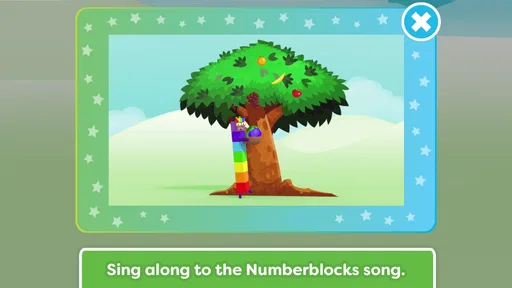
Meet the Numberblocks is an educational children’s app based on the popular Numberblocks animated series. It introduces young learners to numbers through interactive activities, familiar characters, songs, animations, and simple challenges. The app is designed to make early mathematics more enjoyable while helping children recognize numbers, count, compare quantities, and become more comfortable with basic numerical ideas.
What age group is Meet the Numberblocks suitable for?
The app is mainly aimed at preschool and early-primary children, particularly those beginning to learn numbers and counting. Younger children may need an adult to guide them through the activities, while older preschoolers can often explore independently. The difficulty and usefulness may vary depending on a child’s existing numeracy skills, so parental involvement can help make the experience more suitable.
What can children learn by using the app?
Meet the Numberblocks focuses on foundational mathematics rather than advanced calculations. Depending on the available activities and content, children can practice number recognition, counting, ordering numbers, matching quantities, and understanding simple relationships between numbers. The colorful presentation and character-based interactions help reinforce concepts, although the app works best as a supplement to real-world play and adult-supported learning.
Does Meet the Numberblocks require an internet connection?
Some parts of Meet the Numberblocks may be available after installation without a constant internet connection, but requirements can depend on the device, app version, and whether additional content must be downloaded. An internet connection may also be needed for initial setup, updates, or purchases. It is advisable to install and test the app before travel and check the store listing for current offline details.
Is Meet the Numberblocks safe for children and does it include purchases?
The app is created for young children, with an interface centered on educational play rather than open social interaction. However, parents should still review the available settings, privacy information, advertising policy, and purchase options before handing over the device. If the app offers paid content or in-app purchases, parental controls and device-level purchase restrictions should be enabled to prevent accidental transactions.


